CROSSHAIR PRO STUDIO
Ultimate Android System Crosshair Overlay with 1400 Built-in Presets, Line Pattern Engine, Custom Gap Colors, and Floating FPS Sight Overlay.
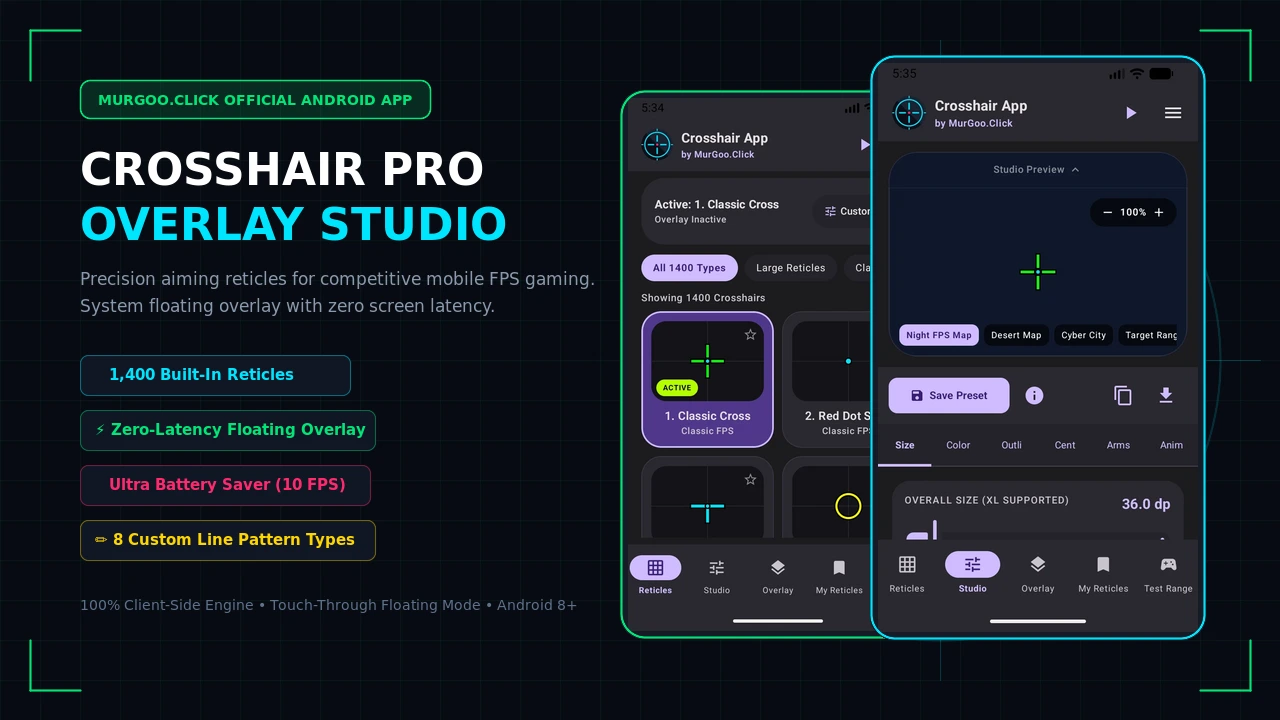
Ultimate Android System Crosshair Overlay with 1400 Built-in Presets, Line Pattern Engine, Custom Gap Colors, and Floating FPS Sight Overlay.
Complete built-in library featuring Minimalist, Pro Esports, Cybernetic Futuristic, Extra Large (XL), Stippled, and Multi-pattern reticles.
Switch instantly between Solid, Dotted, Dashed, Dash-Dot, Dash-Dash-Dot, Dot-Dot-Dash, Long Dash, and Sparse Dot stroke patterns.
Customize gap transparency or set dedicated dark/neon gap background colors for dash and dot line patterns.
Draws directly over all Android games and apps with zero latency, touch-thru mode, and instant draggable repositioning.
Customize dual-color linear gradients, center dot shapes, outer rings, high-contrast outlines, and custom neon glow effects.
Test reticle visibility in real-time against custom simulated gaming environments (Dust II, Haven, Ascent, Inferno, and Cyber Night).
Adjust overlay engine loops to 60 FPS (smooth), 30 FPS (saving), or 10 FPS (ultra battery saver) to extend play time.
Prevent accidental offset wipes with a smart confirmation modal. Control preference with a handy "Do not show again" toggle.
Filter, manage, and link your custom crosshair overlays to launch automatically when specific games or apps open.
Quickly bookmark and save custom combinations to your local device catalog using the safe Room Database engine.
Explore real screenshots of MurGoo Crosshair Pro running on Android. From the extensive 1,400+ reticle catalog to the live customizer studio, floating overlay controls, and battery-optimized performance settings.
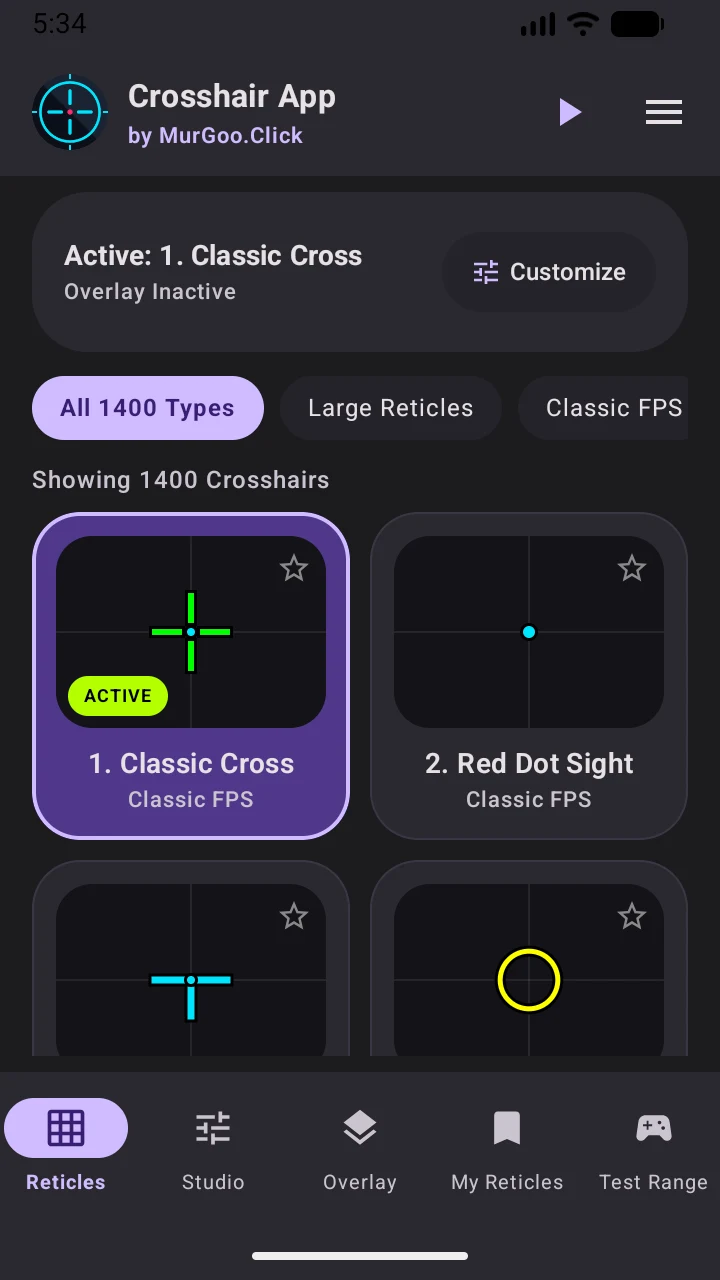
Browse through 1,400+ precision crosshairs categorized into Esports Pro, Minimalist, XL, Futuristic, and custom line pattern styles.
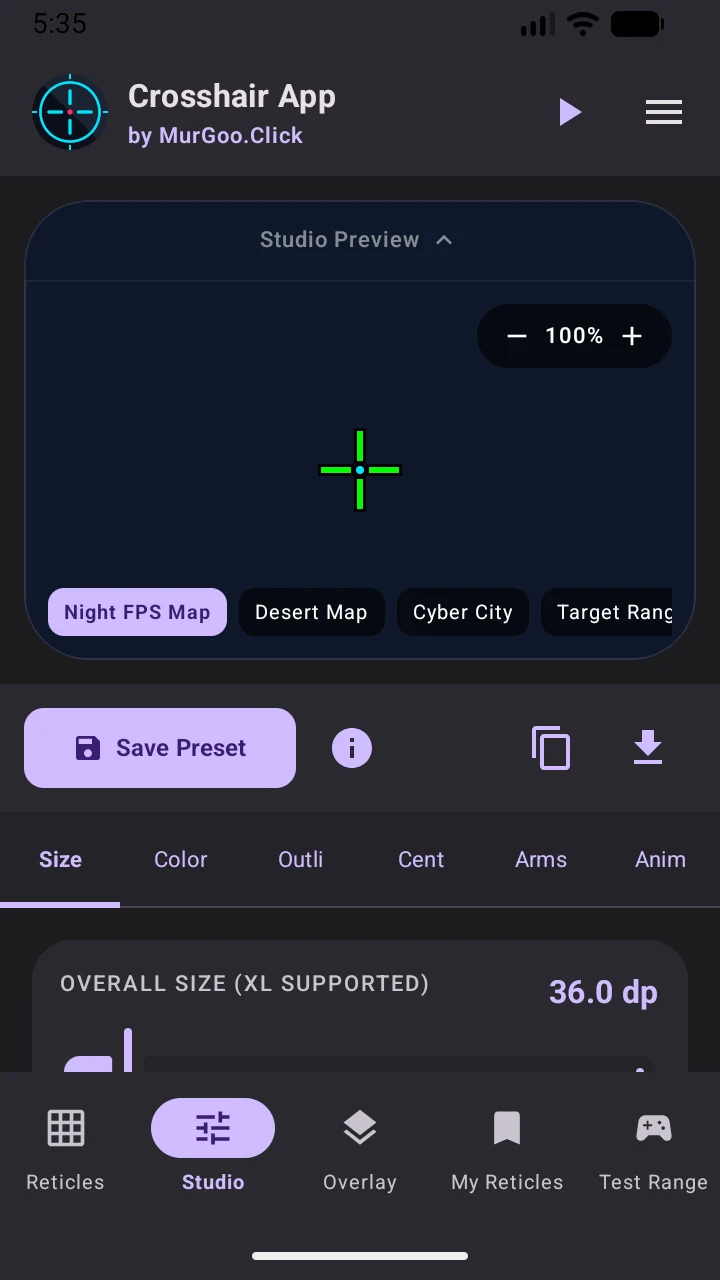
Fine-tune reticle size, stroke, gap colors, and test visibility against realistic map environments like Night FPS Map, Desert, and Cyber City.
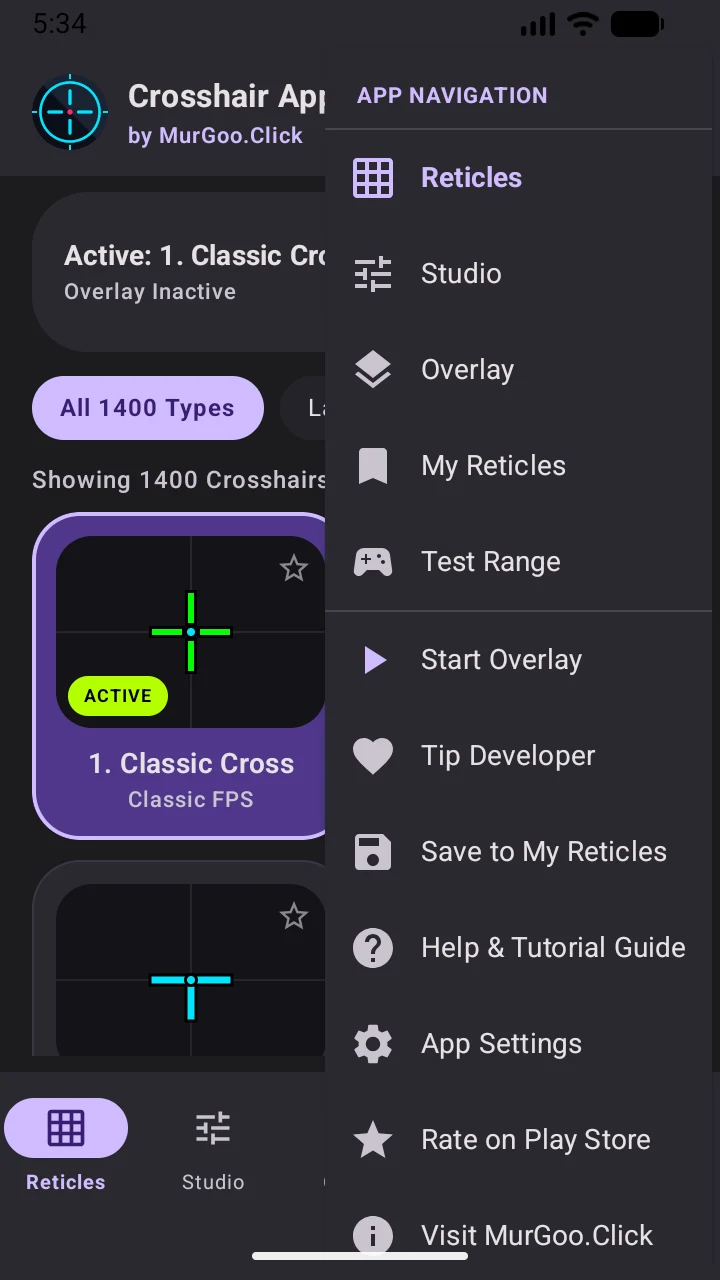
Quick-launch drawer to toggle floating overlays, bookmark favorite reticles, access test range, and configure app settings.
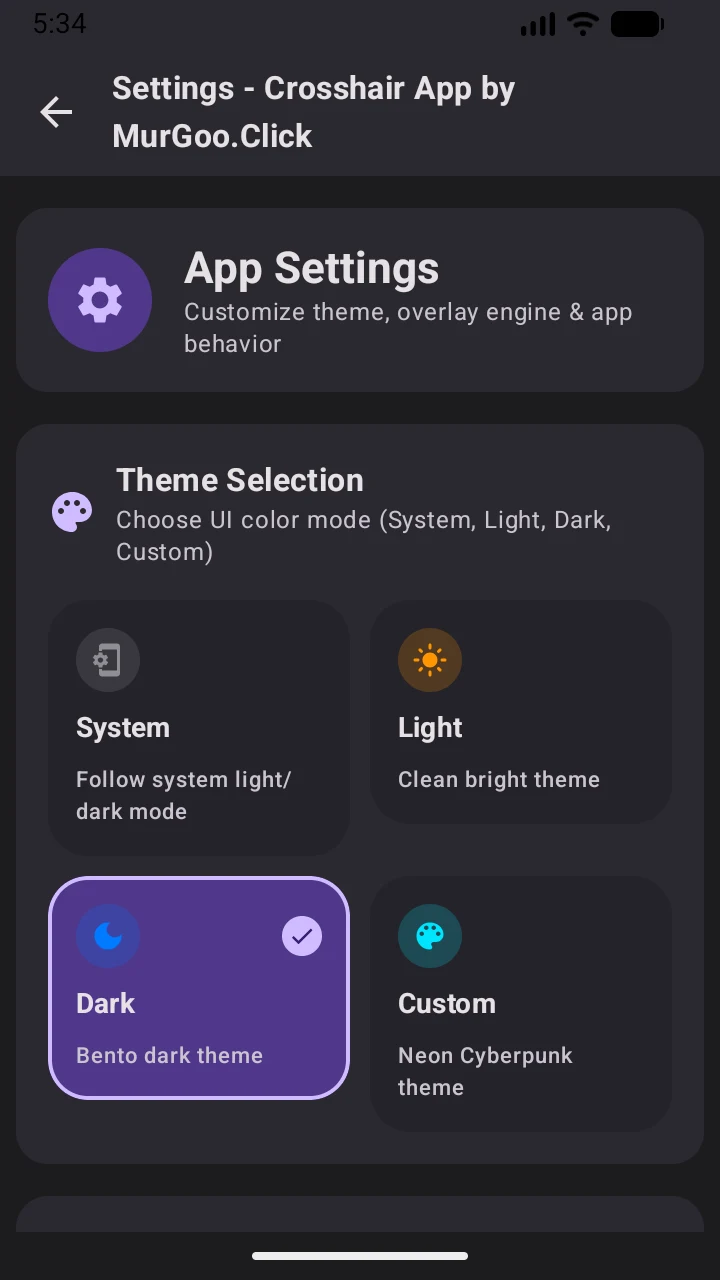
Customize the UI color mode with Dark Bento theme, Neon Cyberpunk mode, Light theme, or automatic system matching.
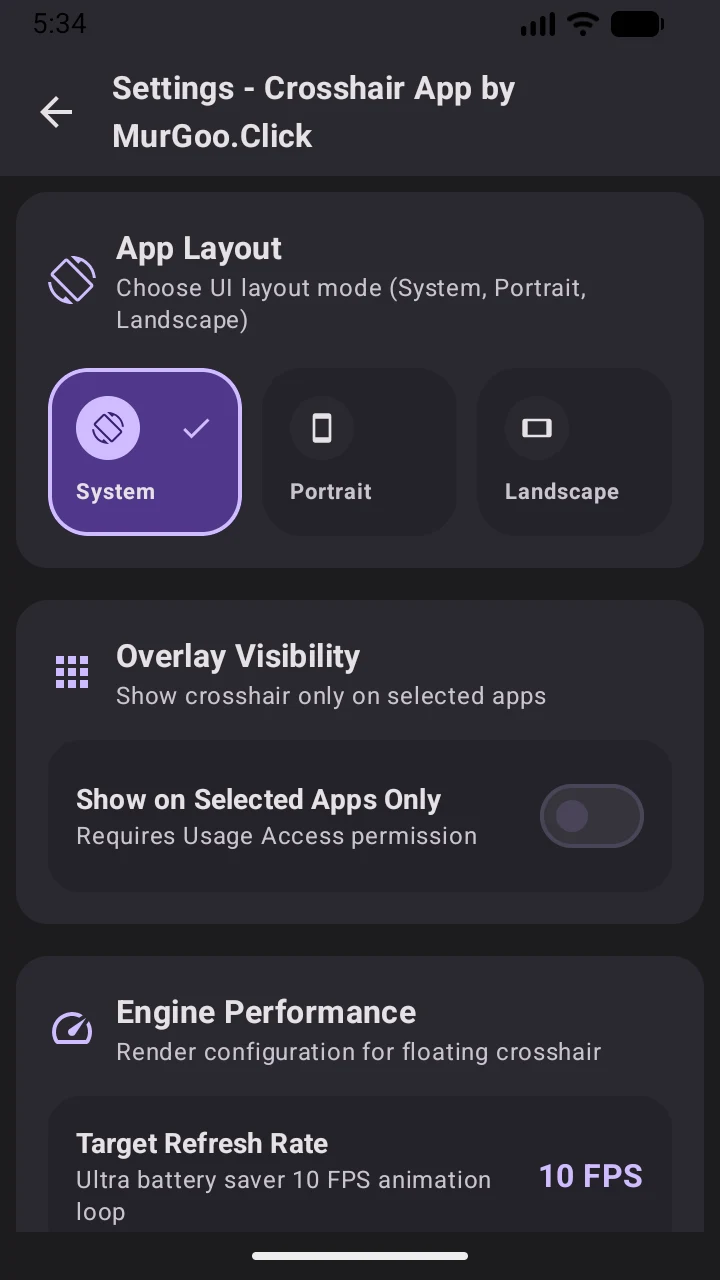
Configure screen orientation layout and restrict overlay visibility so your crosshair only appears when your favorite games launch.
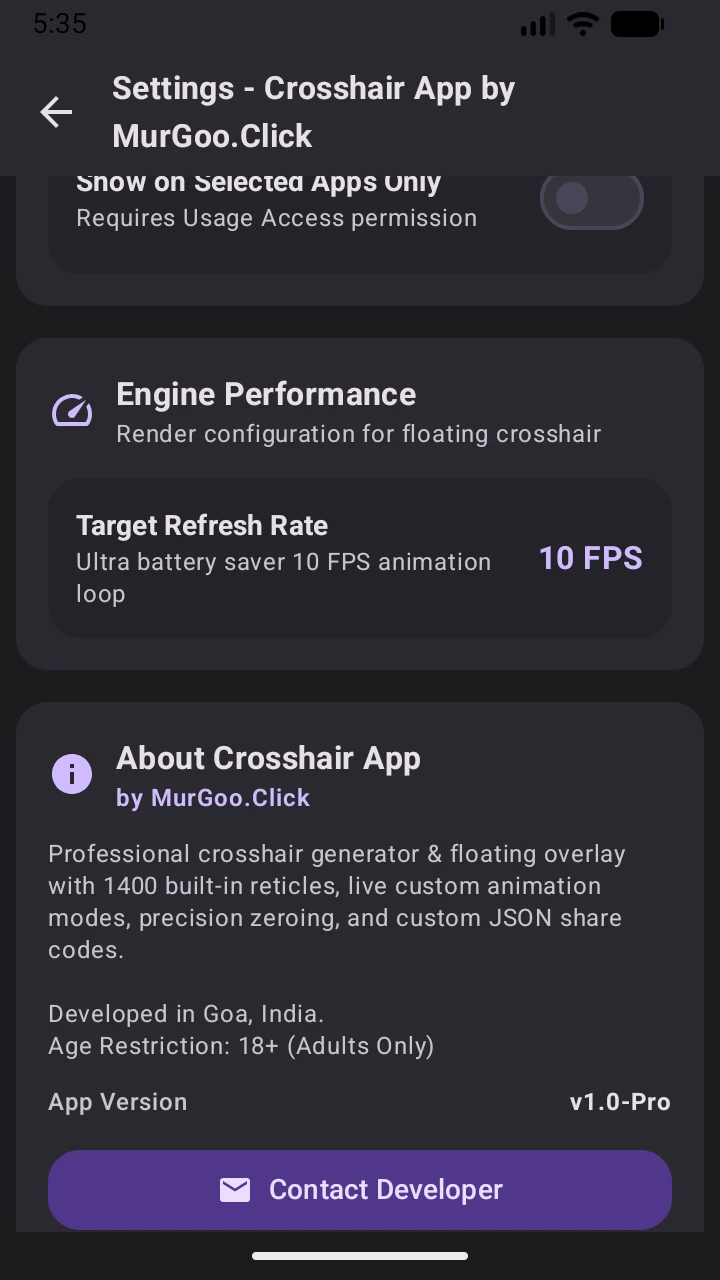
Engine refresh rate selector with ultra battery-saving 10 FPS loop mode for marathon gaming sessions, plus verified developer info.