MurGoo Image Converter
Your Offline Batch Image Conversion Tool for Android
About the App
MurGoo Image Converter is a powerful, offline, batch image converter that helps you resize, crop, and convert your images to multiple formats like JPEG, PNG, and WEBP. It optionally preserves EXIF data and works entirely on your device without needing an internet connection.
Key Features:
- Batch convert multiple images at once.
- Import images via drag & drop, file picker, or direct Share from other apps.
- Crop, rotate, and resize images easily.
- Live Preview feature to compare original and anticipated results.
- Support for target sizes and dimensions.
- Optionally preserves image EXIF data.
- 100% offline - your images stay on your device.
- Free to use, 18+ user age requirement.
App Screenshots & User Interface Walkthrough
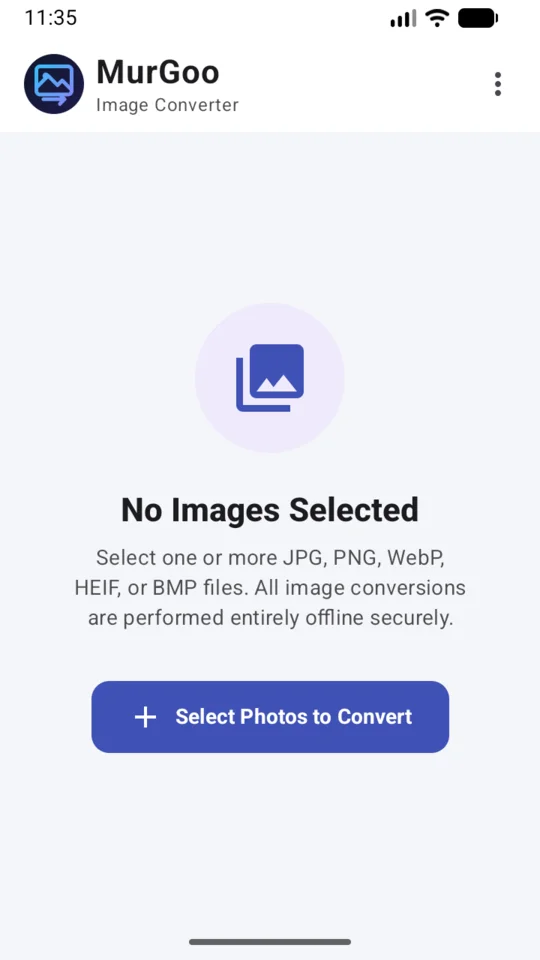
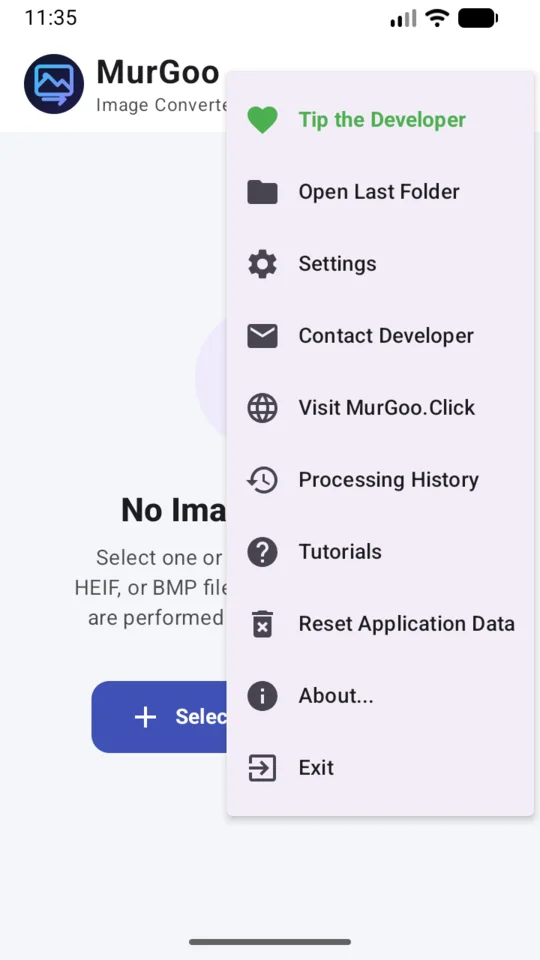
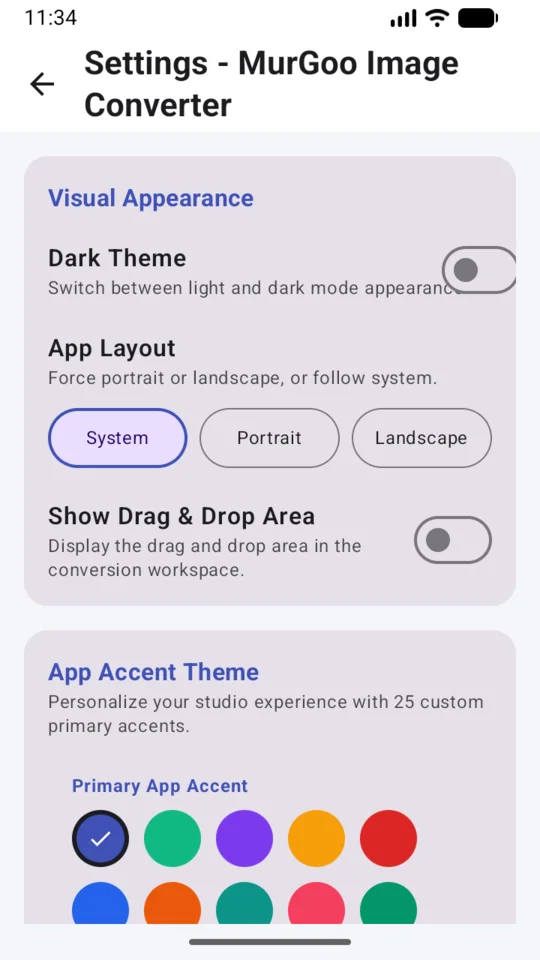
Designed with a modern, clutter-free Material interface, MurGoo Image Converter makes offline image conversion and optimization seamless on any Android device:
Supported Image Formats Guide
Choosing the right format can improve quality and reduce file size. Here is a quick guide to help you decide:
JPEG (Joint Photographic Experts Group)
- Best For: Photographs, complex images with many colors.
- Advantages: Excellent compression, small file size, widely supported on almost all devices and platforms.
- Disadvantages: Lossy compression (loses some quality when saved), does not support transparency.
PNG (Portable Network Graphics)
- Best For: Graphics, logos, text, images requiring transparency.
- Advantages: Lossless compression (no quality loss), supports a transparent background, sharp edges for text and shapes.
- Disadvantages: Larger file sizes compared to JPEG, not ideal for high-resolution photographs.
WEBP
- Best For: Web images, balancing quality and file size.
- Advantages: Superior compression (both lossy and lossless), supports transparency, smaller file sizes than JPEG and PNG for similar quality.
- Disadvantages: May not be natively supported on very old operating systems or legacy software.
BMP (Bitmap)
- Best For: High-quality, uncompressed image storage where file size is not a concern.
- Advantages: No compression artifacts, stores exact pixel data, universally readable by basic imaging tools.
- Disadvantages: Extremely large file sizes, not suitable for web use or sharing.
HEIF / HEIC (High Efficiency Image Format)
- Best For: Modern smartphone photography, storing high-quality images efficiently.
- Advantages: Better compression than JPEG (often half the size for the same quality), supports transparency and 16-bit color.
- Disadvantages: Limited compatibility outside of modern Apple and some Android devices, often requires conversion for widespread sharing.
AVIF (AV1 Image File Format)
- Best For: Next-generation web images and high-quality photography.
- Advantages: Exceptional compression efficiency (often better than WEBP and JPEG), supports transparency, HDR, and wide color gamuts.
- Disadvantages: Only supported natively on Android 14+ devices and modern web browsers.
Configurable Settings
MurGoo Image Converter provides various settings to customize the app to your preferences:
- Visual Appearance: Switch between Light and Dark mode for comfortable viewing in different lighting conditions.
- Primary Accent Color: Personalize the app's look and feel by choosing from a wide range of vibrant accent colors.
- History Logging: Enable or disable the local storage of your conversion history logs.
- Default Conversion Settings: Pre-configure your preferred output format, quality, and output directory for faster batch processing.
- App Layout: Select your preferred layout style (System, Modern, or Classic) to suit your workflow.
Frequently Asked Questions (FAQ)
Where can I download this app?
You can download the MurGoo Image Converter app directly from the Google Play Store.
Does this app require an internet connection?
No, MurGoo Image Converter works 100% offline. Your images are processed locally on your device ensuring complete privacy.
Is there a limit to how many images I can convert at once?
You can select multiple images for batch conversion, limited only by your device's available memory and storage.
Does the app preserve image metadata (EXIF)?
Yes, the app gives you the option to preserve important EXIF data, such as camera settings and date, during the conversion process where supported by the format.
Legal Information
Before using the application, please review our legal documents: