High-Fidelity Feature Matrix
A comprehensive breakdown of the core systems, metrics generators, and test canvases engineered into the application.
Single Tap Precision Logging
Track instant touch interactions on a 1:1 scale. The diagnostic engine logs exact pixel coordinates (X and Y), touch duration (down to the millisecond), and native physical finger pressure parameters returned by the screen hardware.
Double Tap Threshold Test
Measure double-tap register sensitivity. Tracks consecutive touch intervals to verify quick responsiveness and ensure custom game inputs or double-click commands fire consistently within the system window limits.
Hold Execution (Long Press)
Verifies persistent touch triggers. Displays active continuous pressure graphs, calculates the exact duration of sustained holding actions, and logs physical coordinates after the gesture surpasses customized threshold timeouts.
Swipe Directional Tracking
Analyze fast flick or swipe motions across horizontal and vertical axes. Displays real-time trail guidelines indicating velocity vector calculations, starting/ending coordinates, and classifies directions (Up, Down, Left, Right).
Multi-Touch Pinch Sandbox
Verify complex gestures requiring up to 10 concurrent touch pointers. Evaluates touch separation distance, scaling factors, and pressure fluctuations for fluid map interactions and zoom operations.
Freeform Drag Trails
Tracks continuous hand-drawn patterns over a detailed pixel-aligned matrix. Generates beautiful gradient path trails with smooth coordinate sampling-rates to diagnose hardware track delays or dragging jitter.
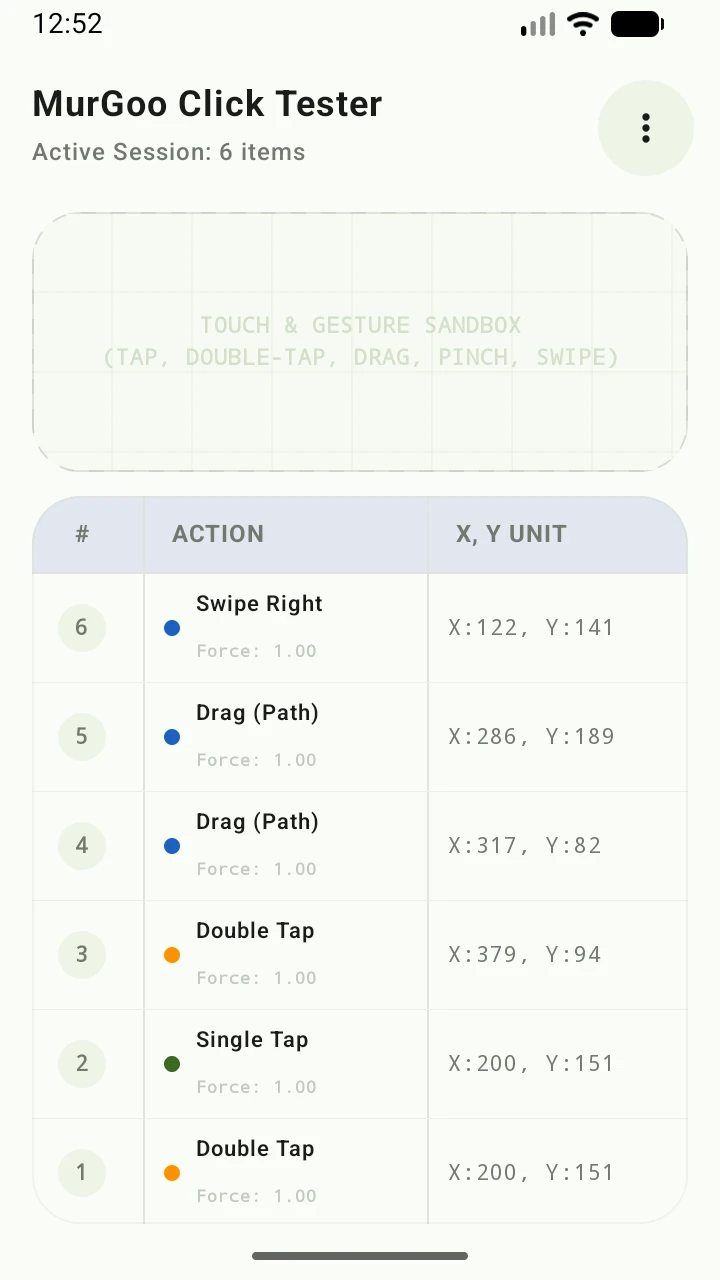
Active Session Telemetry Table
Every gesture event is numbered sequentially and paired with immediate X:Y screen pixel coordinates, millisecond contact durations, and finger pressure values.
Clicks Per Second (CPS) Test
A high-precision timing test utilizing immediate 10ms hardware polling. Users can configure timer durations (1s, 3s, 5s, 10s, and 15s) to benchmark raw tapping speeds, logging personal high scores and calculating active live CPS rates.
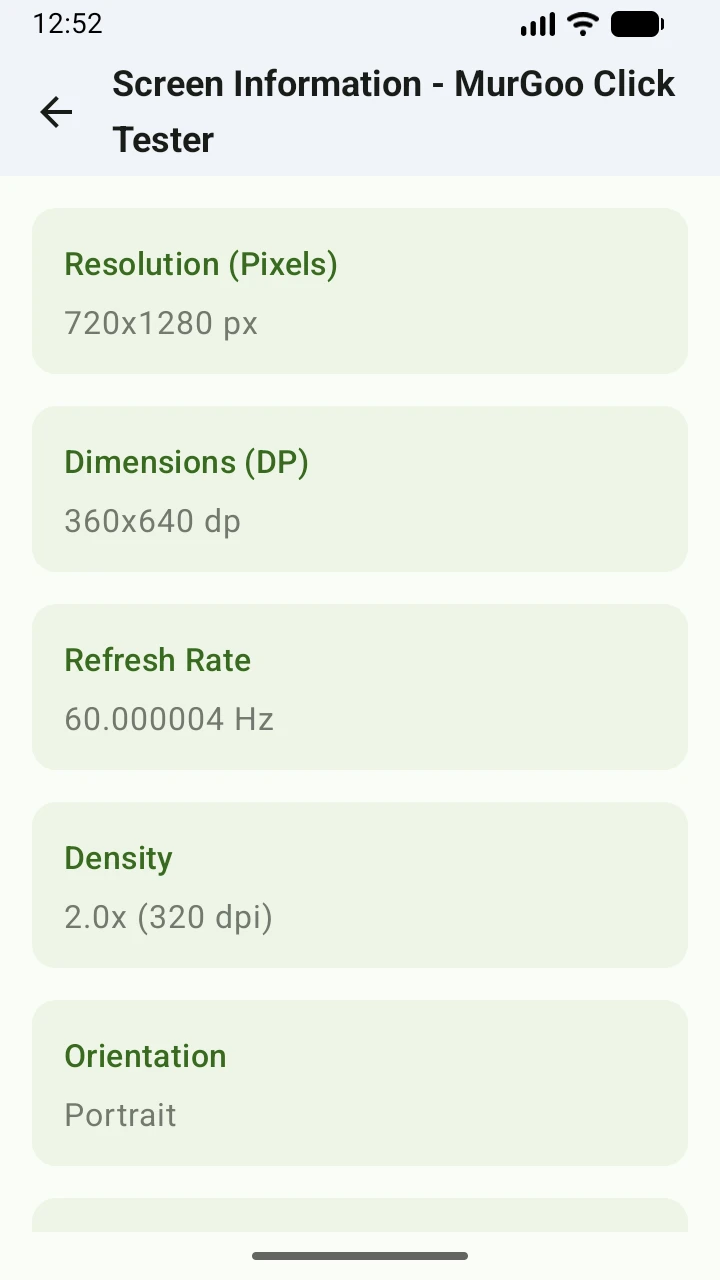
Active Screen Information
Gain absolute visibility into native Android display metrics. Reads active viewport height/width, display density class profiles (dpi), dynamic system scale factors, exact raw refresh frequencies (Hz), and logical pixel ratios.
Dead Pixel Diagnostic Tester
Performs clean, margin-free full-screen diagnostic flushes to spot stuck subpixels, display discoloration, or backlight bleeding. Sequentially cycles through pure Red, Green, Blue, Solid White, and Absolute Black profiles.
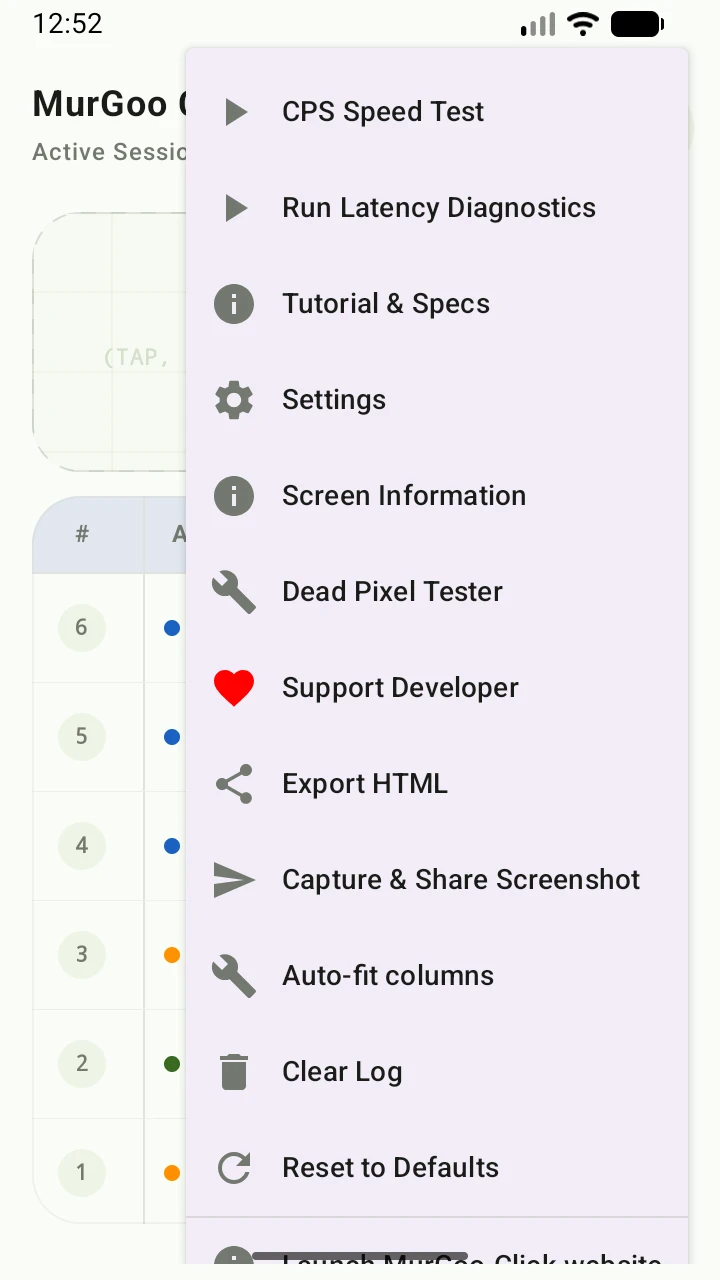
Diagnostic Tools Hub
A unified launcher for latency diagnostics, CPS speed benchmarks, dead pixel tests, screenshot capture & share, column auto-fitting, and full session HTML export.
Interactive Tutorial Slide Matrix
Every single step of the built-in gesture education system, thoroughly documented for offline developers and testers.
Single Tap
Standard Touch Clicking
Monitors standard, quick discrete screen contact events. Once your finger leaves the screen, the click registers instantly and logs coordinate dimensions.
Double Tap
Consecutive Rapid Clicks
If a subsequent tap registers very rapidly and physically close to the preceding tap, they coalesced/merge into a unified Double Tap event.
Hold Execution
Tap vs. Stationary Long Press
Keeping your finger completely stationary for an extended period triggers a Long Press. If your finger moves too far, the timer aborts to allow free dragging.
Slick Slides
Momentum Swipe vs. Precise Drag
Swipes rely on rapid kinetic movements. Covers a minimum distance in a quick stroke. Slower sliding tracks drag paths dynamically instead.
Dynamic Actions
Multi-Finger & Spatial Transforms
Tracks two-finger touch expansions and pinches. Measures linear separation percentages. Flat, static multi-finger presses resolve as flat multi-taps.
Action Log Columns
Telemetry Grid Layout
Provides detailed realtime column tracking for sequences, detected gestures, native delay gap, tap durations, and exact coordinates.
Comparison Matrix
Specifications at a Glance
An embedded cross-referencing matrix detailing different telemetry schemas, physical limits, and gesture-detection thresholds sequentially.
- Analyzes touch down timing behaviors
- Summarizes finger-movement tolerances
- Maps visual indicator reactions
Sensitivity Controls
Customized Touch Recognition
Configure constraints tailored to your touch behavior. Change touch tolerances to prevent finger drift from breaking intentional clicks.
App Customizer
Visual Theme Preferences
Full support for customized light and dark modes. Adapt beautiful visual states dynamically based on your preferences.
Screen Information
Device Structural Specs
Displays hardware structural dimensions, dynamic DPI scales, screen viewport widths/heights, and dynamic update speeds in Hz.
Dead Pixel Tester
Screen Diagnostic Canvas
A professional clean full screen overlay cycling color schemes to expose dead pixels, screen stuck components, or uneven color bleeds.
Configurable Control Panel
Every dynamic property, scaling multiplier, layout style, and notification preference adjustable from the native Settings Screen.
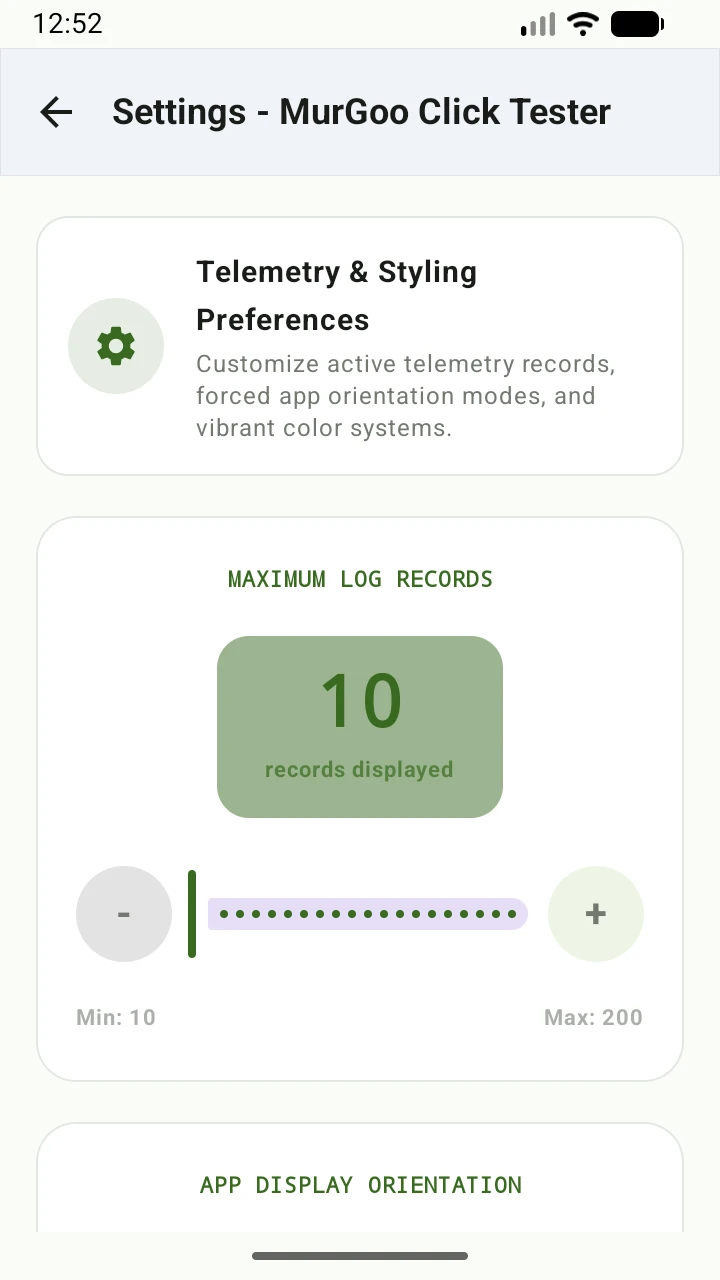
Max Log Records Limit
Control the depth of your active telemetry tracking database. Configure the table to render and retain anywhere from 10 to 200 consecutive interactive gesture events dynamically, avoiding performance lag or memory overhead on older devices.
App Display Orientation Lock
Override gravity sensors to lock your testing viewport. Instantly force the screen into full Landscape Mode, Portrait Mode, or let it respond fluidly to live System Auto-Rotation cues dynamically.
App Theme Styling Mode
Optimize visual clarity across environments. Manually freeze the application layout system into high-contrast Dark Mode, bright standard Light Mode, or bind the aesthetic assets directly to your device's System default.
Interactive Animation Scale
Adjust the timing and pacing of all UI screen transitions. Choose from Fast transitions, standard delay scales, or relaxed/delayed intervals to evaluate layout alignment and rendering speed.
Main Dashboard Panel Visibility
Toggles for screen de-cluttering. Enable or hide the complete Action Log Statistics Panel, diagnostic test triggers, unit coordinates selection, and live dynamic Tactile Touch Pressure Gauge overlays instantly.
Sensory Feedback Cues
Enable clear tactile cues. Vibrate the device slightly using precise micro-haptics, or play a premium click acoustic audio sound effect every time a complex gesture, zoom scale, or hold duration threshold is crossed.
Sensitivity & Gesture Override
Decouple from system constants. Use default Android hardware parameters or disable system constraints to self-calibrate Long Press times (150ms - 1500ms), Touch Slop drift (5dp - 60dp), and Swipe flight spans (15dp - 150dp).
20 Neon Accent Primary Theme Colors
Express your aesthetic style. Tap on any of twenty professional neon theme color circles to reload and restyle the entire application's primary highlights, sliders, progress bars, and header elements in real-time.
Home Widgets & System Tiles
Integrate diagnostics into your Android OS. Request to pin a compact launching widget directly to your Home Screen, or register a custom Quick Settings status-bar tile for instantaneous background access.
Technical Engine Architecture
Lower-level Android APIs and frameworks utilized to power the MurGoo Click Tester client.
Frequently Asked Questions
Common questions regarding MurGoo Click Tester functionalities and safety.
Is the application completely free to use?
Yes, MurGoo Click Tester is 100% free with no hidden charges, subscriptions, or paywalls. All diagnostic features and customization options are fully accessible from the moment you install the app.
Does the app require an active internet connection?
No, the app operates entirely offline. It does not request network permissions, contains no analytics SDKs, and never transmits your testing data or device metrics to any remote server.
What is the CPS Test feature?
The Clicks Per Second (CPS) test is a high-precision testing tool that measures your manual tapping speed. You can select different time intervals (1s, 3s, 5s, 10s, and 15s) to benchmark and track your finger tapping velocity.
Is the Dead Pixel Tester safe to use?
The Dead Pixel Tester flashes full-screen bright colors (Red, Green, Blue, White, Black) to help you locate defective display pixels. While safe for standard hardware, users with photosensitive epilepsy or conditions triggered by flashing lights should avoid using this feature.
How do I reset all my custom sensitivity settings?
Because the app relies purely on offline local storage, you can reset all your customized preferences, theme colors, and CPS high scores instantly by going to your Android Settings > Apps > MurGoo Click Tester > Storage and tapping "Clear Data".

Need Help? Contact Support
If you encounter hardware issues on your devices, need diagnostic advice, or want to contribute suggestions, feel free to email us directly:
Support@MurGoo.Click